Data Visualization Design System – FGS Global
Design systems, components made intuitive for data visualizations
If you're not interested in my process, feel free to shift to sections below
Timeline
May - Aug 2024
Tools
Figma
Notion
Google Suite
Team
2 Product Designers
1 Design Manager
1 Engineering Manager
2 Engineers
1 Product Manager
Skills
Design Systems
Design Specifications
WCAG 2.1
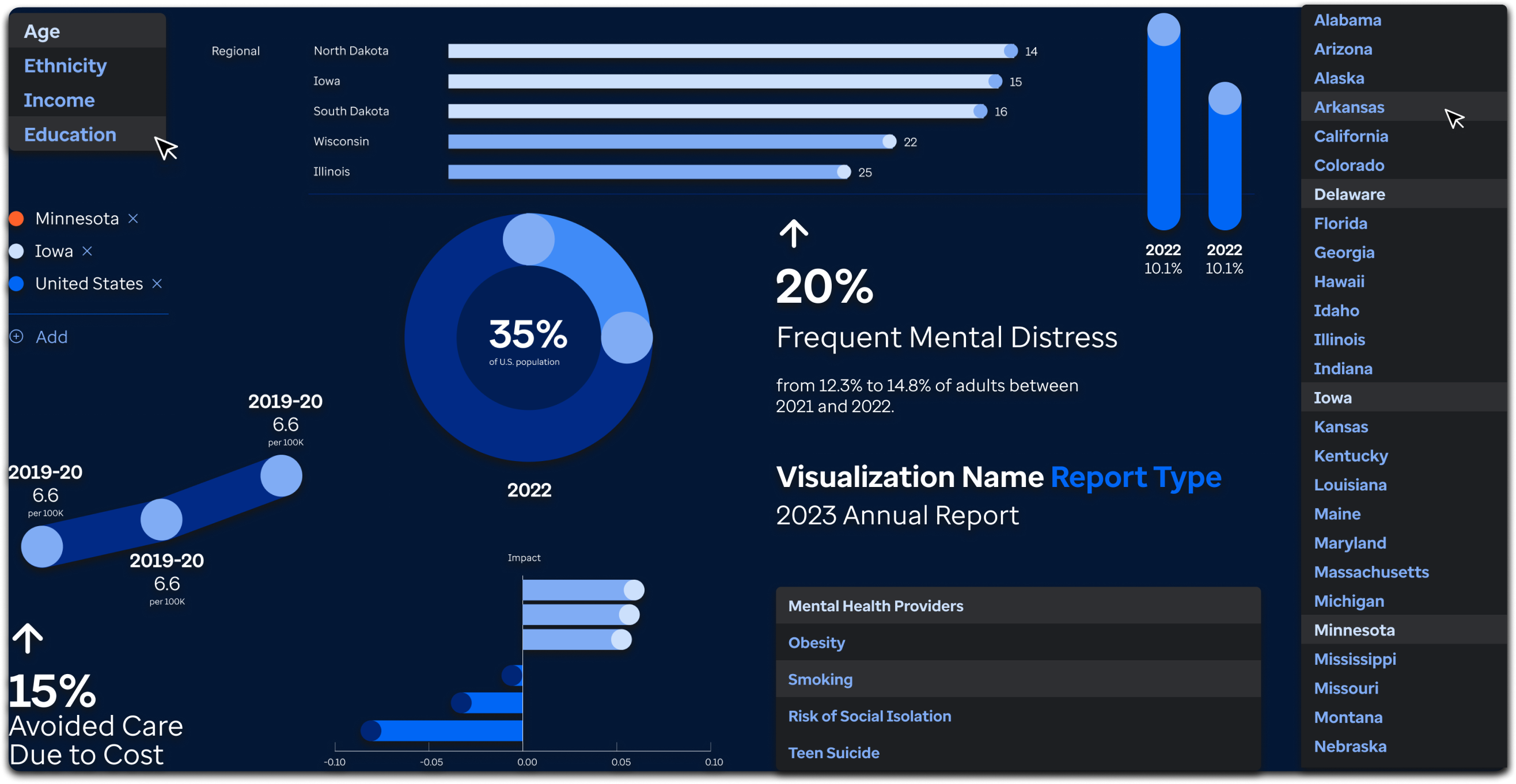
image of data visualization component assets
OVERVIEW
UnitedHealth Group (UHG) needed a dashboard system to monitor and analyze healthcare demographics for an American health ranking system.
Their goal  was to gather key parameters and to transform data into visualizations that defined high-level actionable insights.
SCOPE
The FGS Global design system lacked components to render these health data visualizations
My responsibility was to establish an intuitive system that could work in tandem with FGS Global's current UI library.
REQUIREMENTS
Display
4K theater display (3840 x 2040 Aspect Ratio) with ability to download data visualizations also as a rasterized PNG.
These requirements informed the visual and functional details of the data visualization components...
UNDERSTANDING
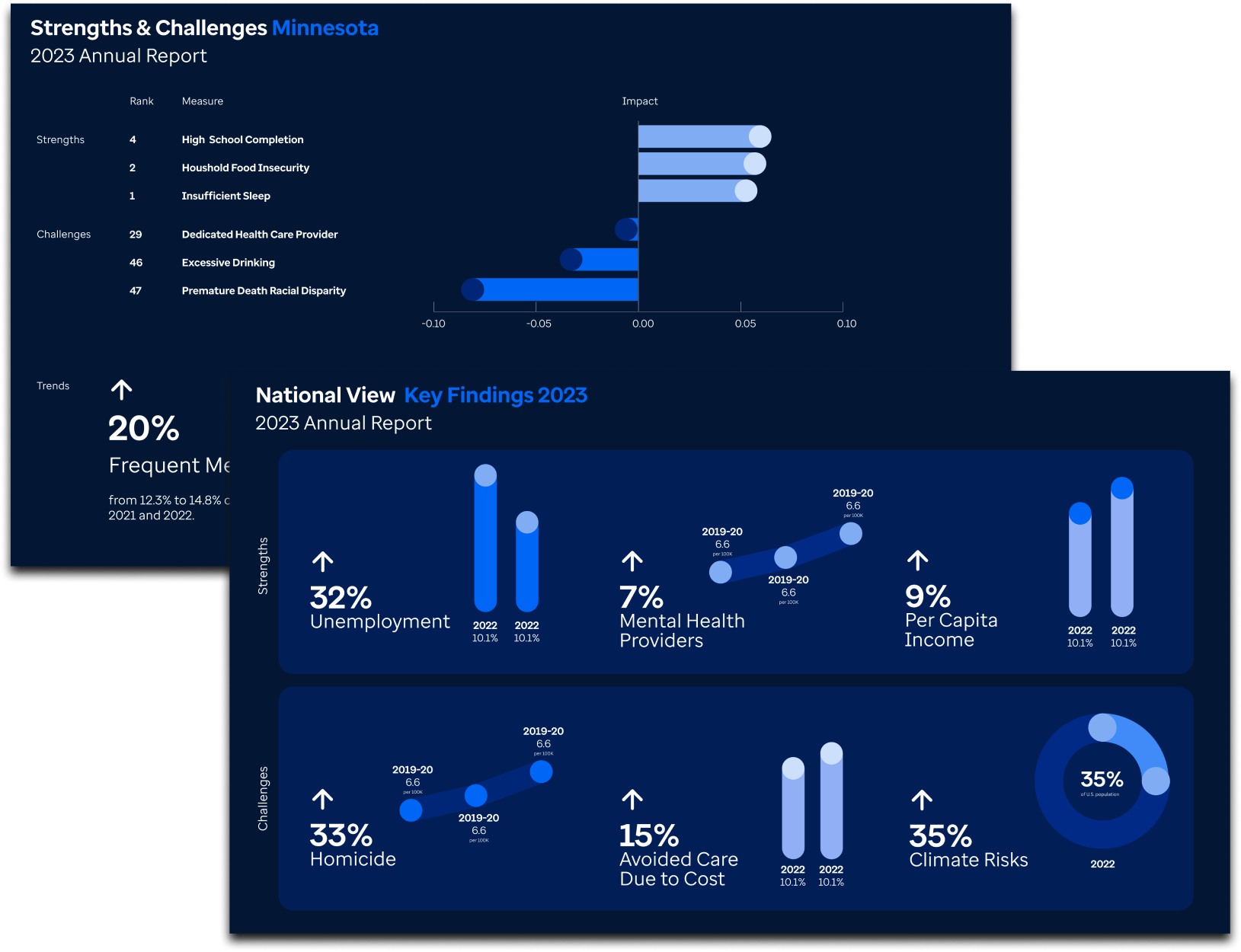
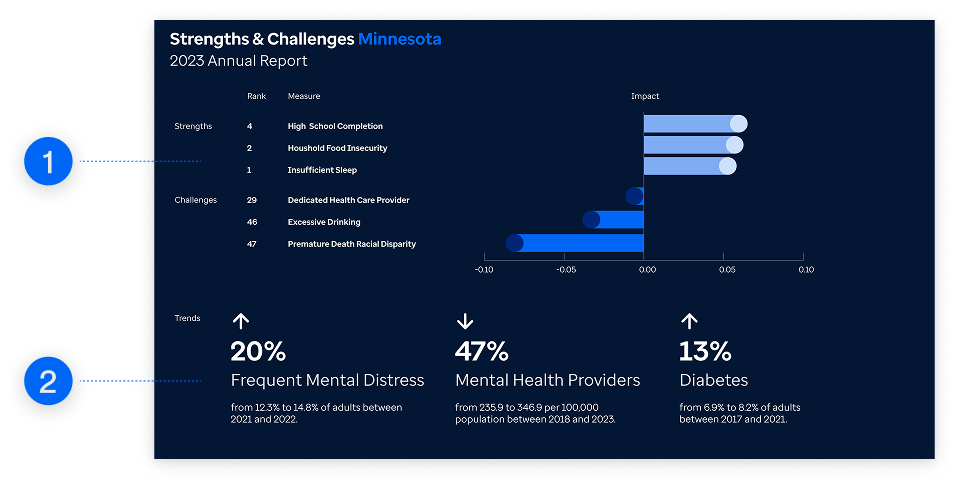
Two patterns comprised the dashboard – KPIs and Chart Visualizations
image of data visualization charts
This audit affirmed that the visual design of the dashboard had been decided. However, there needed more work to be done on systematically defining components and defining how their users would interact with the dashboard.
NORMALIZATION
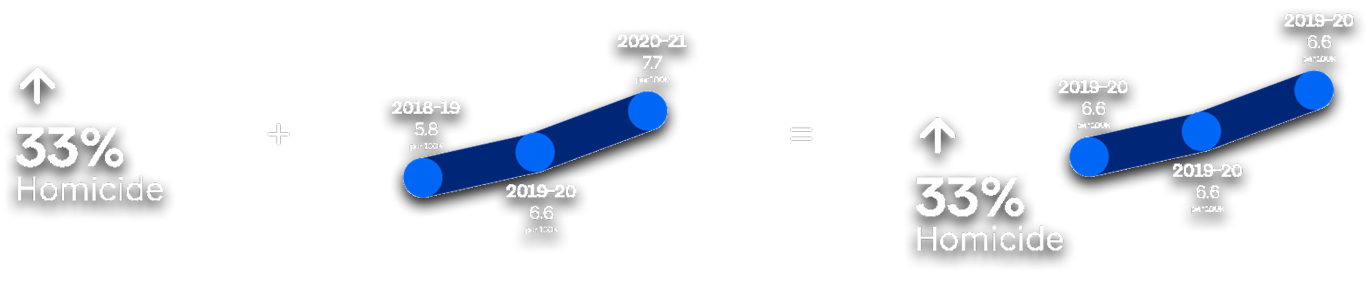
Atomic components consisting of statistics and graphics were merged into an molecular "infographic" component for dashboard KPIs
"An enjoyable travel experience is one where I don't have to worry too much about where to go next. I find that time can be wasted when plans are not made ahead of the trip"
Image of sketched designs
Similarly structured components could be used interchangeably in D3.js.
Image of infographic component
Upon establishing this pattern, I realized that these components comprised a larger pattern that informed each visualization's design.
Such "infographic" components could be aggregated to form the vertical containers for these KPI visualizations
These high-level patterns operated functionally as reusable component layouts that were familiar to developer UI libraries within D3.js.
Image of infographic components combined
However, after normalizing design components for the data visualizations, I discovered that...
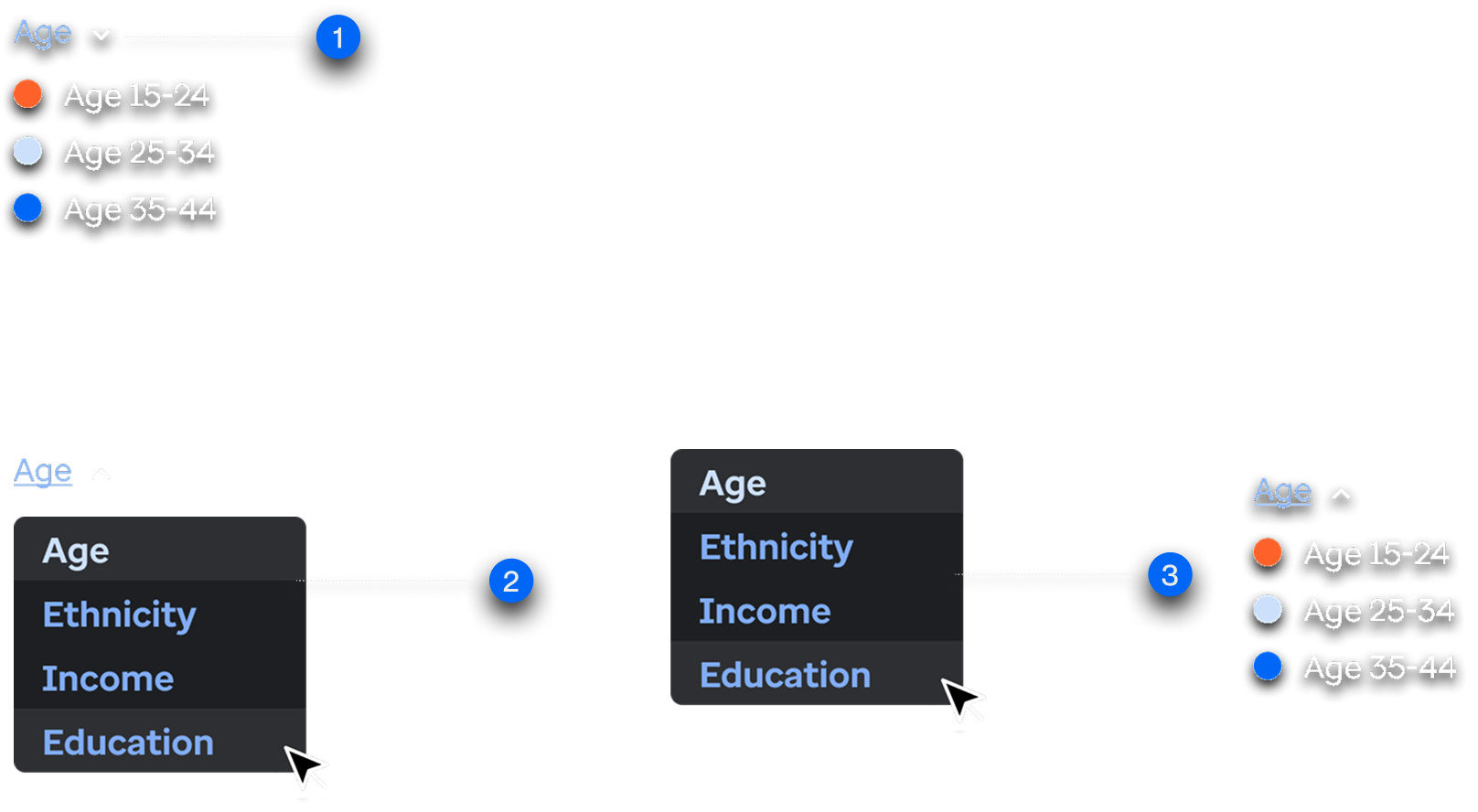
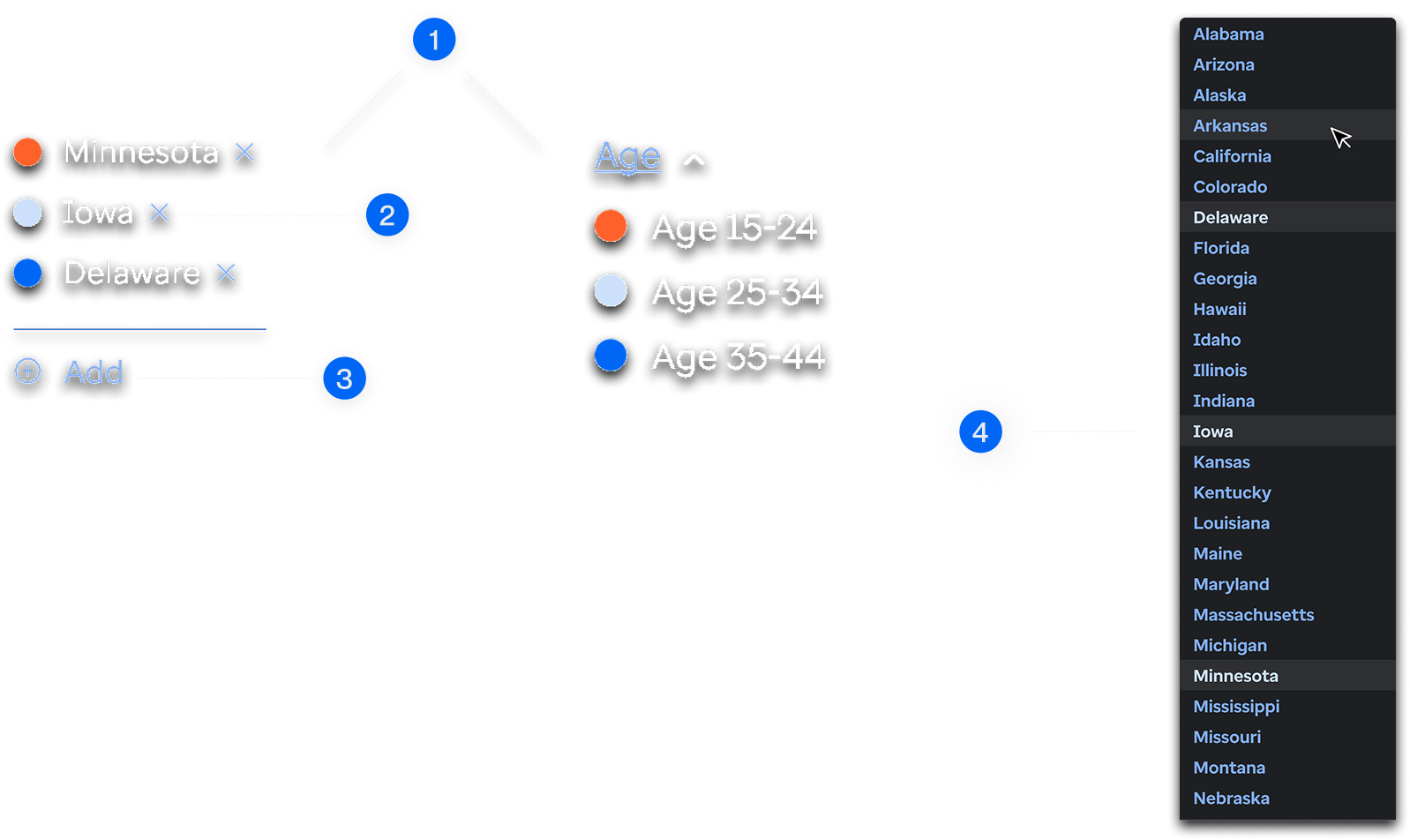
Despite the client giving the assets for the data visualizations, it badly required interaction design components that defined filtering capabilities within the charts
DESIGN DECISIONS
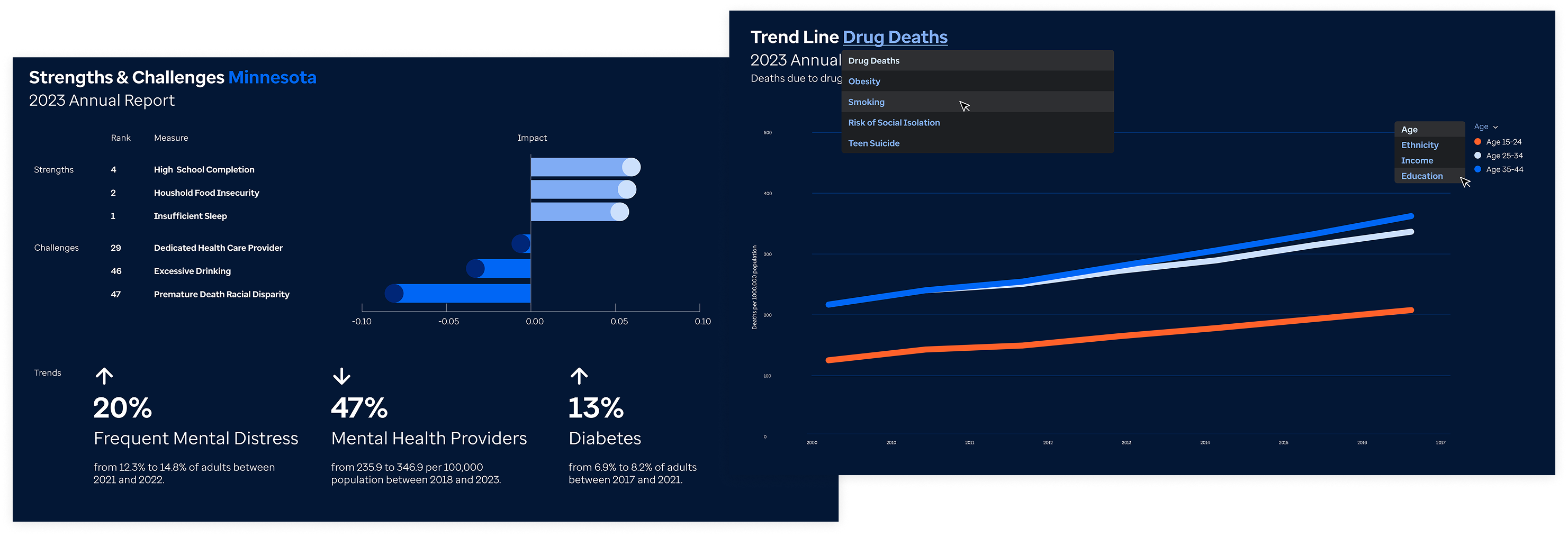
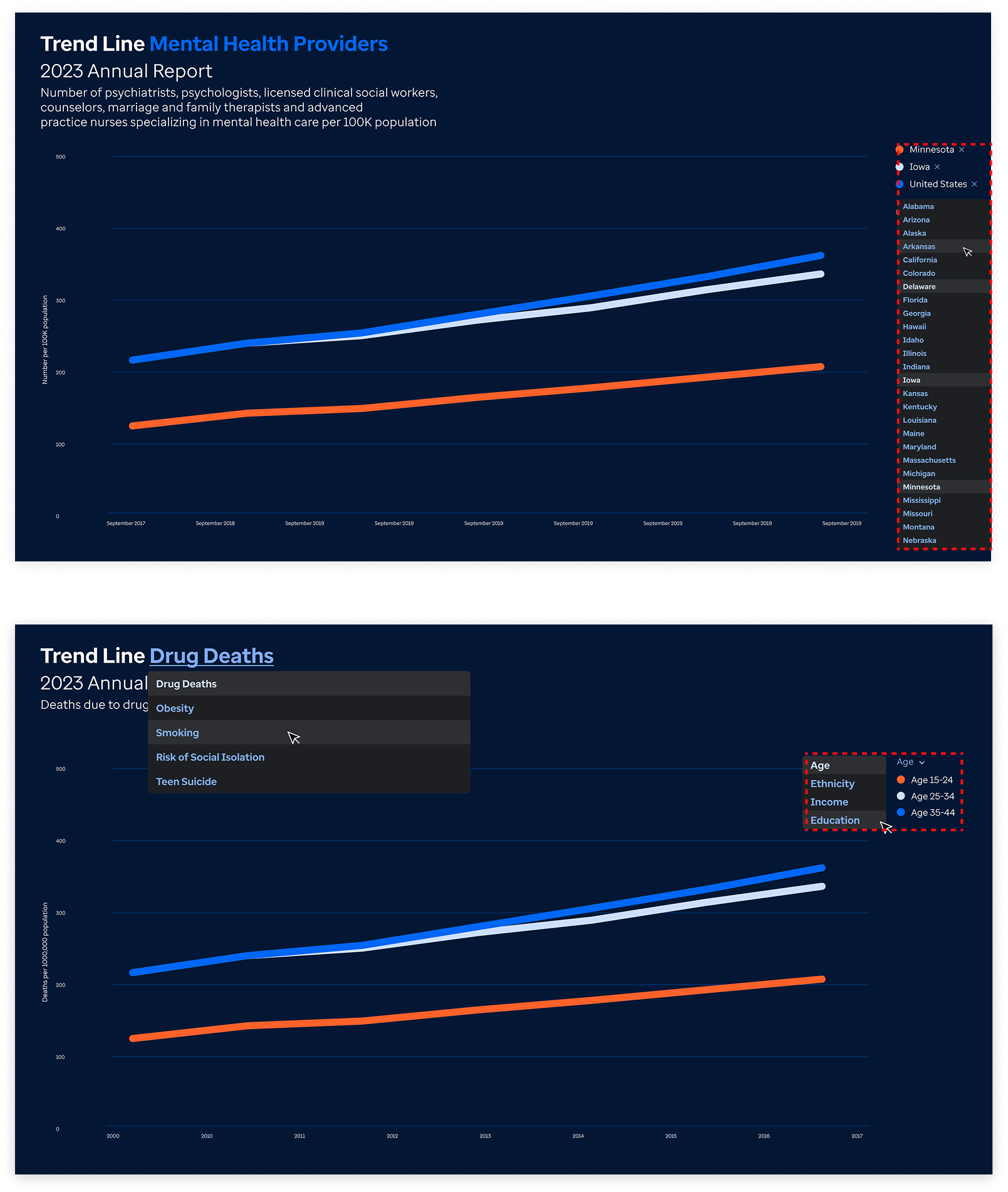
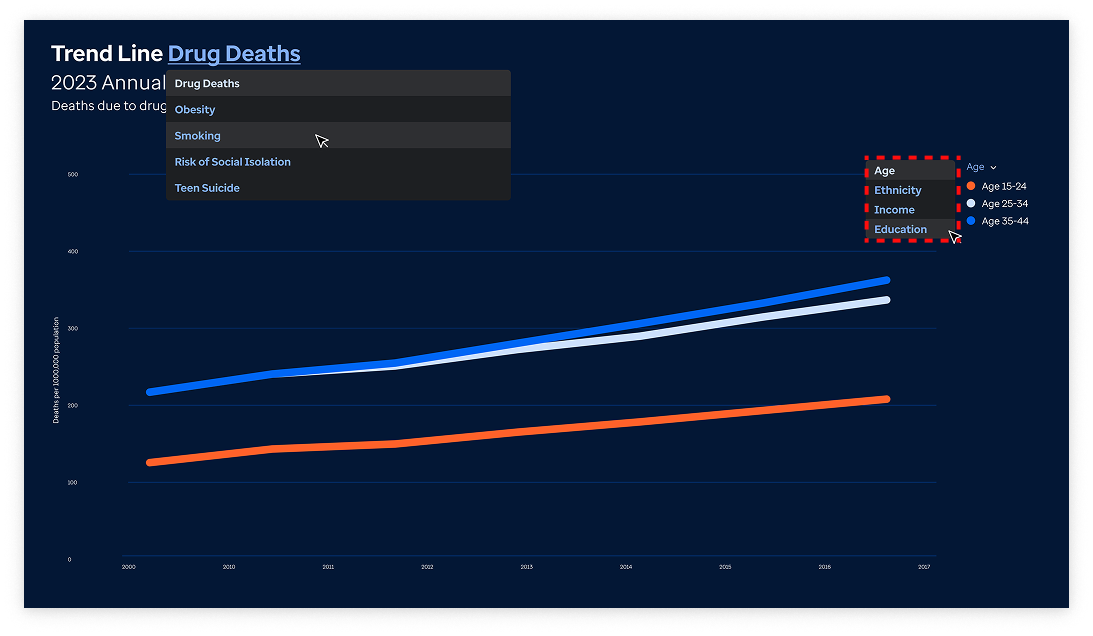
There were contextual nuances between two visually similar, but functionally different line chart visualizations
Here, the determinant difference between the charts is defined by the filter. The difference here is the capability of populating data dynamically, via U.S states versus population demographics.
Image of data visualization trend line variants
This situated difference between the "population trend line" and the "state trend line" visualizations would inform the contextual nuances determined in the interaction design components...
REFLECTION
Mentorship
Shadowing a designer to observe their workflow was incredibly valuable, similar to a contextual inquiry. It provided deep insights into why certain design choices were made, helping me understand the rationale behind the design decisions
Bridging Communication Between Design and Development
Familiarity with UI libraries, frameworks, and how components are implemented in code greatly enhances communication between design and development.
Adaptiveness and Responsiveness
Data visualizations often involve a high degree of interactivity and user-generated content, making it essential to design with a deep awareness of interaction dynamics.